Statistics
Statistics show how often your cards were opened and saved, and the contacts they brought in.
Who can use it: people with the User role see their own numbers. Administrators can also see the organization's: see Statistics (administrator).
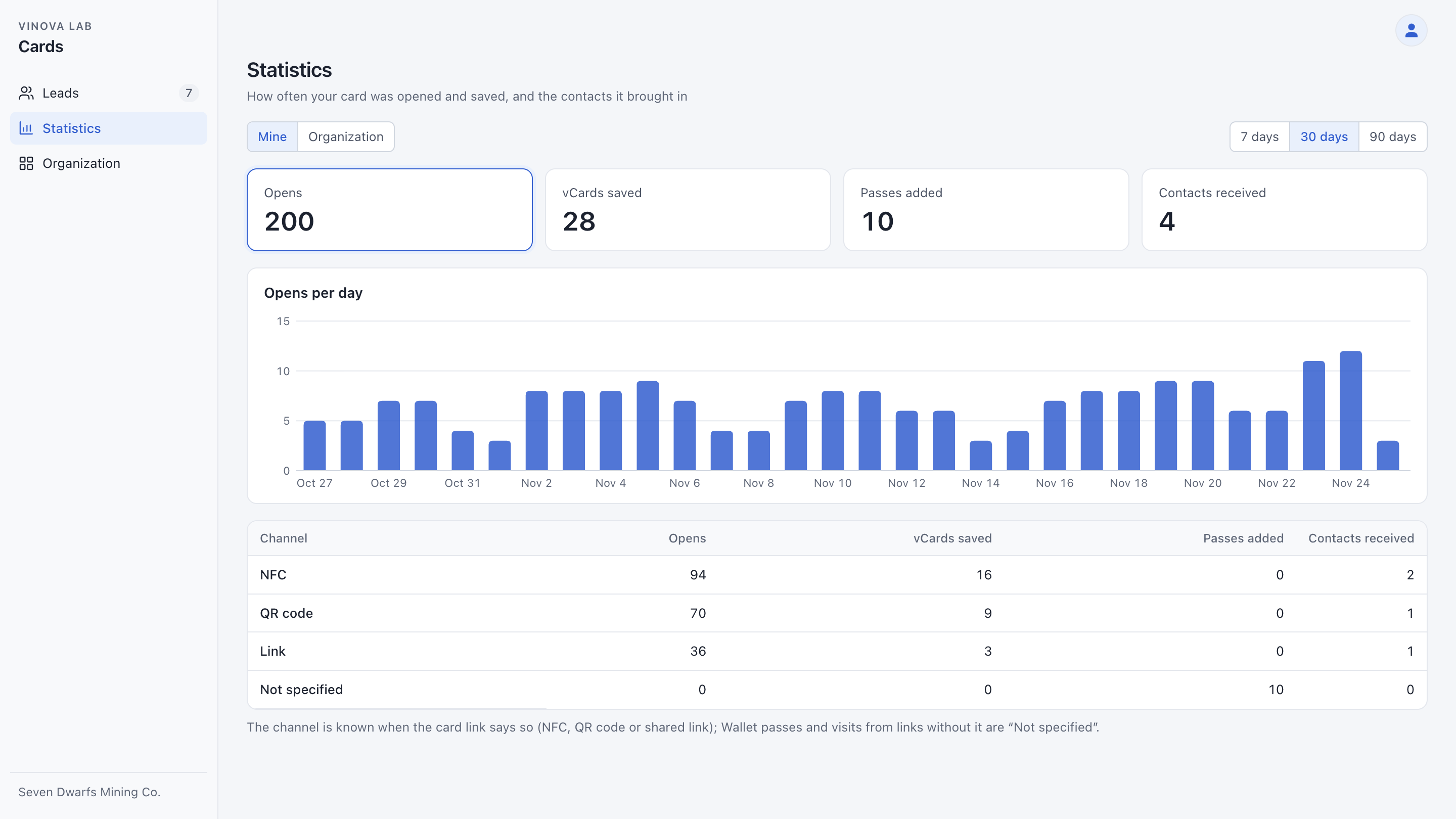
Read your statistics
- Open Statistics from the menu.
- Choose the Period: 7, 30 or 90 days (today included).
You see four numbers:
| Number | What it counts |
|---|---|
| Opens | How many times your cards were opened |
| vCards saved | How many times someone saved your contact |
| Passes added | How many times a Wallet pass was added |
| Contacts received | How many people left you their details |
Below, a bar chart shows one of the numbers per day, and the By channel table splits the opens by NFC, QR code, Link and Not specified.
About the channel
The channel is known when the card link says so (NFC, QR code or shared link). Wallet passes and visits from links without it count as Not specified.
If there is no data yet you see No data in this period yet.