Cards
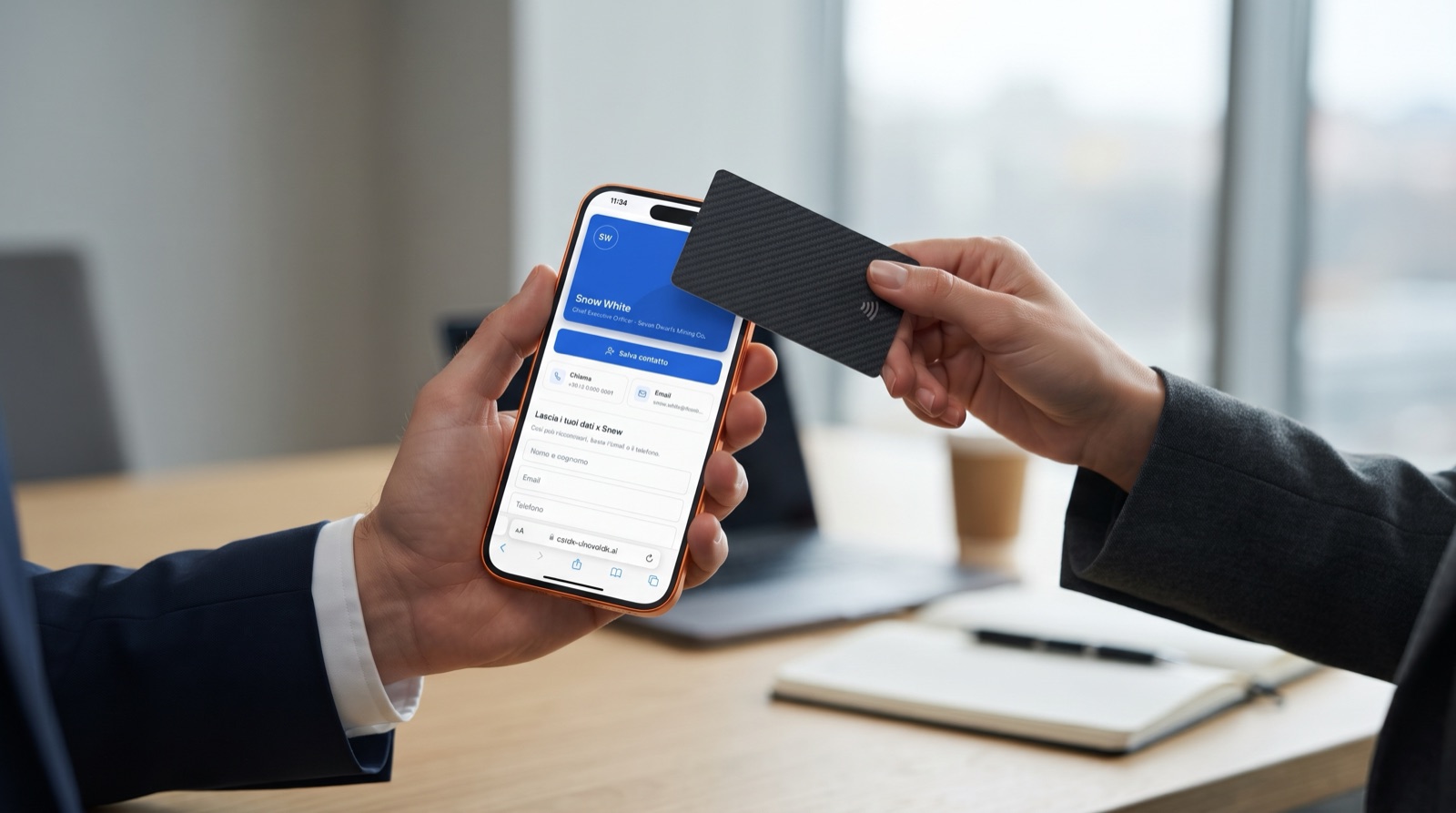
Cards is your digital business card. Instead of handing out paper cards, you share a link to a personal web page with your contact details. People open it in three ways:
- NFC device: a physical card, key fob, sticker or wristband with an NFC chip. The other person holds their phone near it and your page opens.
- QR code: the other person scans a QR code with their phone camera.
- Link: you send your card's link by message or email.
Whoever opens your page can save your contact on their phone in one tap and leave their own details for you. Those details become a lead that you find in Cards.
What you can do with Cards
- Choose what to share. You create one or more profiles (for example "Events" or "Foreign clients") that decide which of your details are shown, and you pick the profile each card shows.
- Carry your card in the Wallet. Add your card to Apple Wallet on iPhone or Google Wallet on Android: the pass shows the QR code of your link, ready to be scanned.
- Collect leads. People who meet you leave their name, email or phone on your page: you find them in Leads.
- See how it goes. Statistics show how many times your card was opened, how many people saved your contact and how many left their details.
Where you use Cards
- In the web app, from any browser. See Web app.
- In the Vinova Cards app for iPhone and Android. See Mobile app.
What you see depends on your roles: User, Administrator or Card Designer.
Where to start
- Sign in to Cards.
- Check your details on the Profile page.
- Set up your profiles and cards in Cards & profiles.
- Find out what people see when they open your card.