Administrators
This section is for people with the Administrator role. Administrators manage the organization's cards, people and rules, and see the leads and statistics of everyone.
The administrator pages are in the web app. In the mobile app an administrator sees only their own card, leads and statistics.
| Page | What you do there |
|---|---|
| Leads | All the organization's leads, export, reassignment |
| Statistics | Your numbers or the organization's, by sub-organization or person |
| Organization | Four tabs: Cards, People, Managed fields, Sub-organizations |
The Organization page
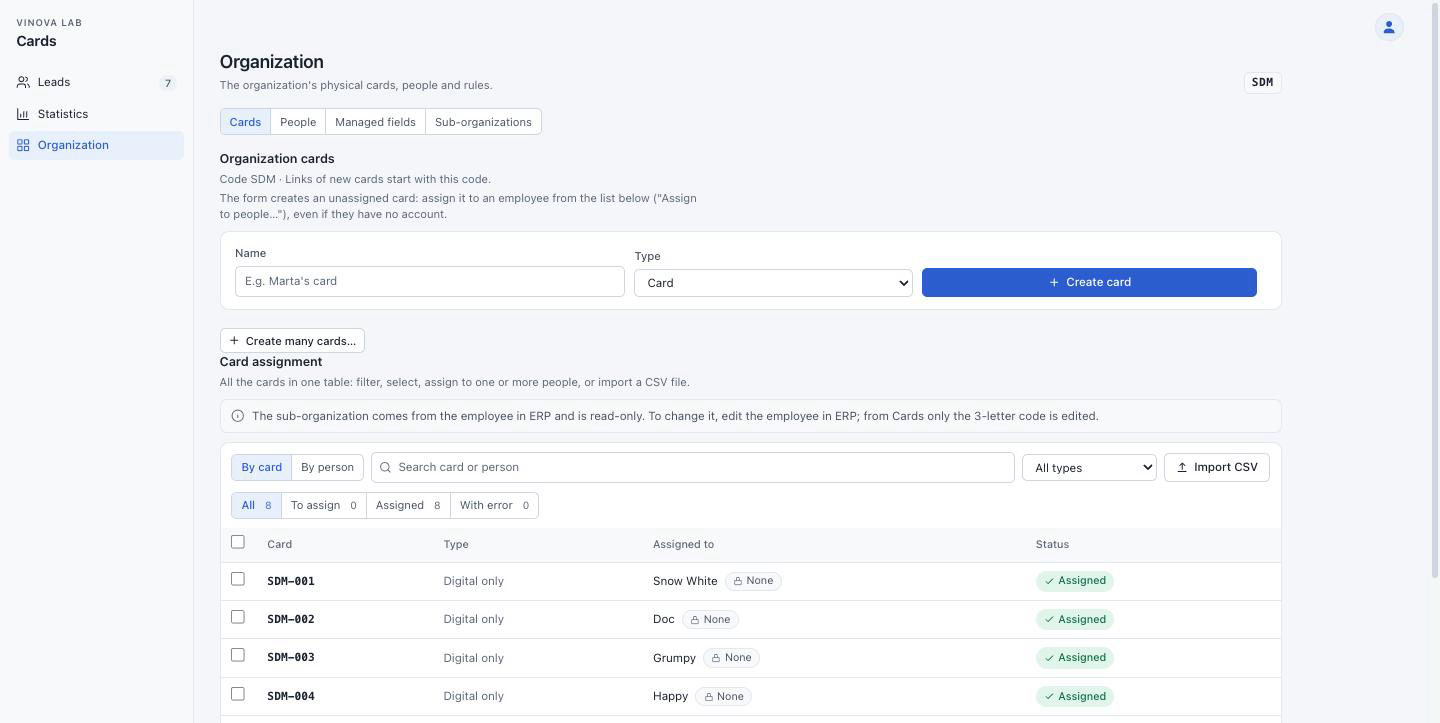
| Tab | Guide |
|---|---|
| Cards | Cards and assignment |
| People | People, roles and privacy notice |
| Managed fields | Managed fields |
| Sub-organizations | Sub-organizations |
Card design
The design of the cards (colors, logo, images, opening animation) is no longer a tab of Organization: it is done by people with the Card Designer role on the Card Studio Design page. See Card Designer.
A typical start
- On People, enable Cards for your colleagues or invite them, and give them their roles.
- On Cards, create the cards (or find the ones already created) and assign them to people.
- On Managed fields, decide which details the company controls.
- On People, check the privacy notice.
If you are not an administrator and open the page, you see Restricted area.