Leads
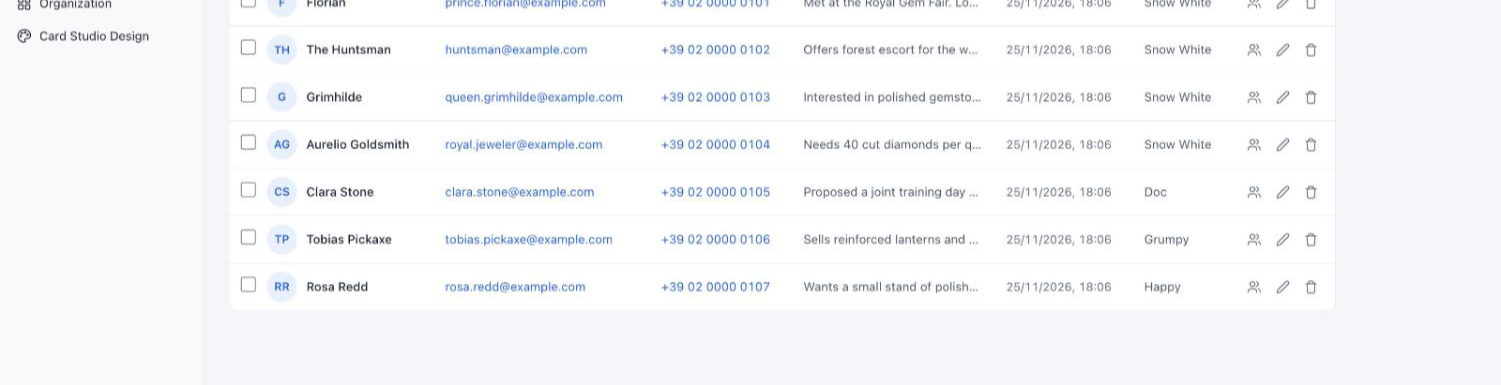
A lead is a person who left you their details from your card's public page, or a lead an administrator handed to you. You find them all on Leads.
Who can use it: people with the User role see only their own leads. Administrators see the leads of the whole organization: see Leads (administrator).
Find a lead
- Open Leads from the menu.
- Type in Search name, email, phone.
- To start again click Clear search.
Switch between Table and Cards with the View control.
Edit a lead
- Click the pencil on the lead row.
- Change name, email, phone or notes. You also see when it was collected.
- Click Save.
Delete a lead
- Click the bin on the lead row.
- Confirm. This can't be undone.
Export your leads
- At the bottom of the page choose the Period: All, 7, 30 or 90 days.
- Click Export CSV. The file downloads to your computer.
No leads yet?
You see No leads yet. until someone leaves their details on your card. If you expect to see some, ask your administrator.
Related pages
- What people see: how the contact form works.
- Mobile app: Leads