What people see: the public page
When someone taps your NFC card, scans your QR code or opens your link, their phone shows your public page. They do not need an app or an account.
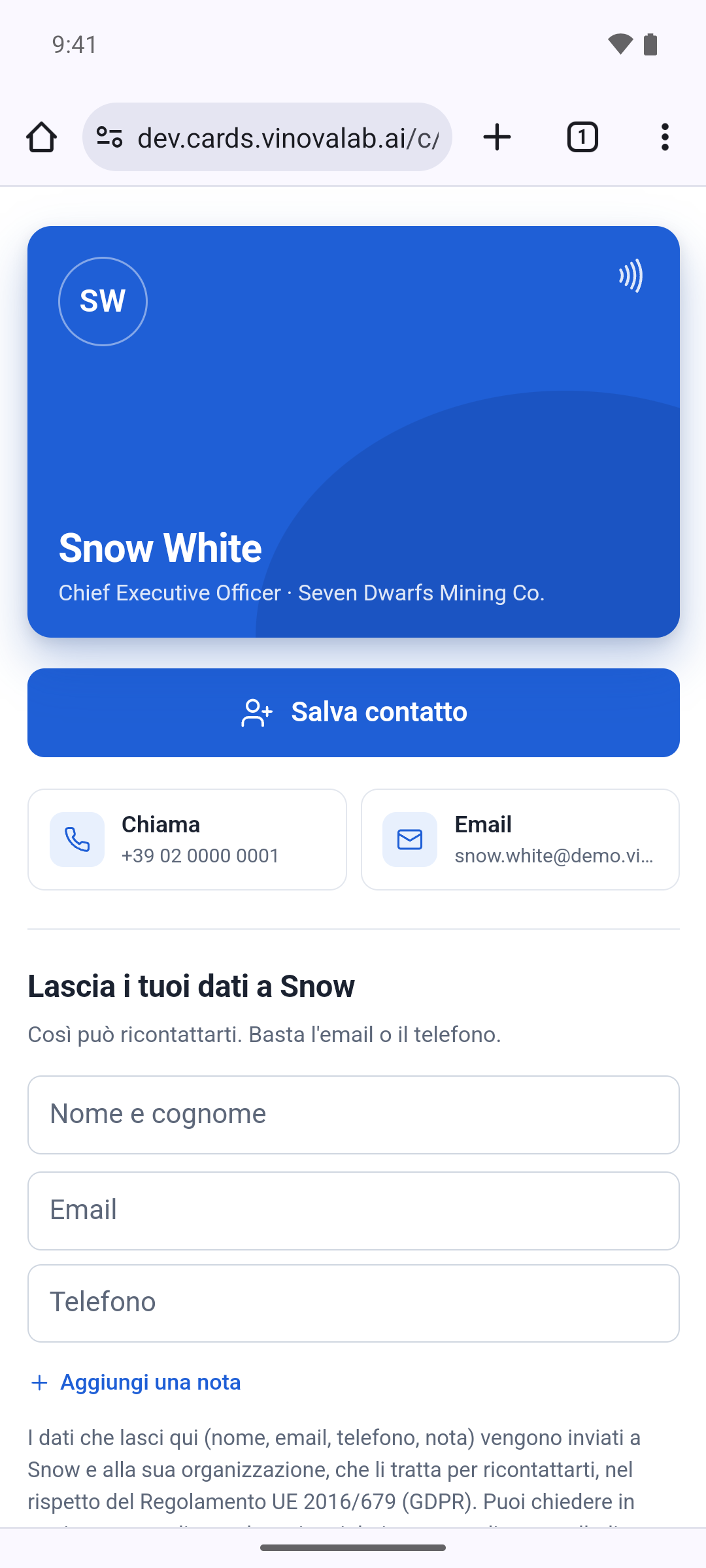
What is on the page
- The opening animation, if your organization turned it on. It lasts a few seconds, then the card appears. People who reduced motion on their phone do not see it.
- Your card, with the details chosen by the profile that card shows: name, role, company, photo and so on. Colors, logo and background are those set by your organization.
- Save contact: saves your contact (a vCard) in the phone's address book in one tap.
- Your contacts as buttons: call, email, website and social profiles.
- Leave your details for (your name): a short form for the other person.
The contact form becomes a lead
The other person can leave:
- Full name,
- Email and/or Phone (at least one of the two is required),
- a Note, for example where you met.
Before sending, they must accept the privacy notice by ticking the box under the form. Then they tap Send to (your name). They see "Done, (your name) has your details" and a reminder to save your contact.
You find what they sent on the Leads page, and in the mobile app under Leads.
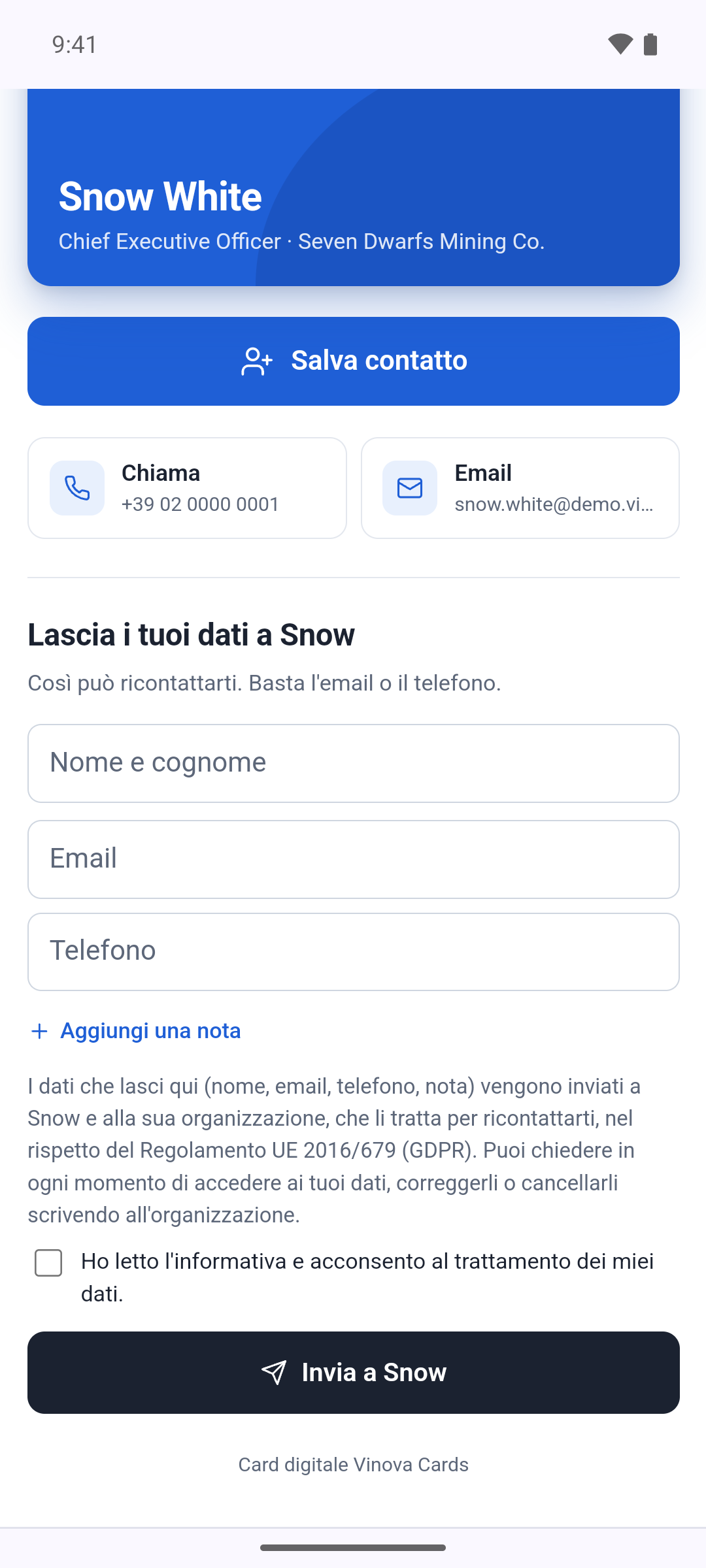
The privacy text is written by your organization's administrator. If they have not written one, Cards shows a standard text. See People: privacy notice.
Channels: NFC, QR code, link
Cards counts every opening and, when it can, records the channel it came from:
| Channel | When |
|---|---|
| NFC | The person held their phone near your NFC card or device |
| QR code | The person scanned your QR code |
| Link | The person opened a link you shared |
| Not specified | The link did not say how it was opened, or it was opened from the Wallet pass |
You see these numbers in Statistics.
When a card is off
If a card is turned off, people who open it see that the card is not available: your details are not shown. Its Apple Wallet or Google Wallet pass turns grey.
If the link is wrong or the card does not exist, the page shows Card unavailable.
Related pages
- Cards & profiles: choose which profile each card shows.
- Profile: your details and contacts.